A little order for your developer life

A calmer home for
your developer tabs.

The docs, the repo, the rabbit holes. Keep your working world together in one local Chrome workspace.

No account. No automatic cloud sync. Just your workspace.

Whiskrs cat peeking over your developer workspace
Your local workspace
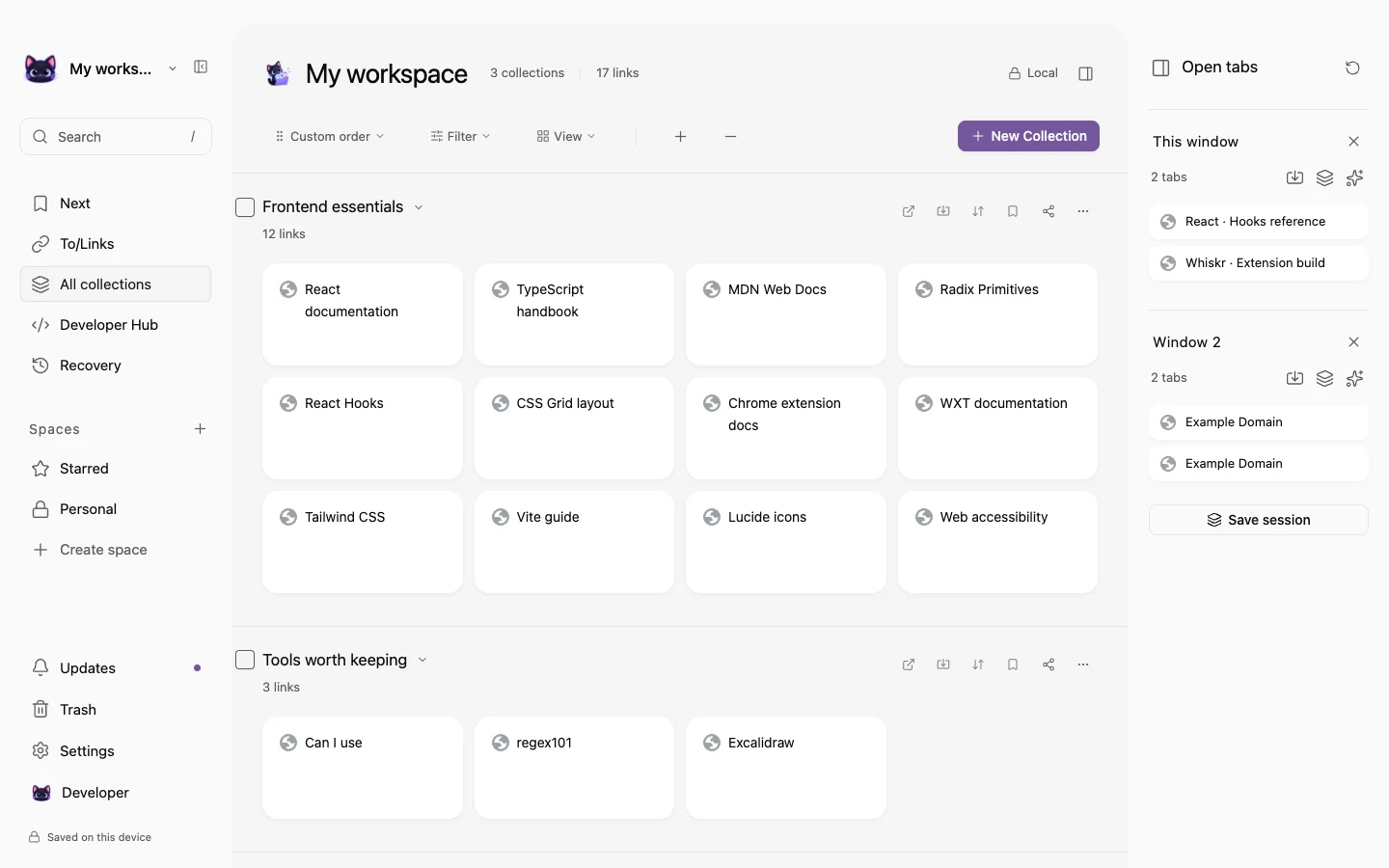
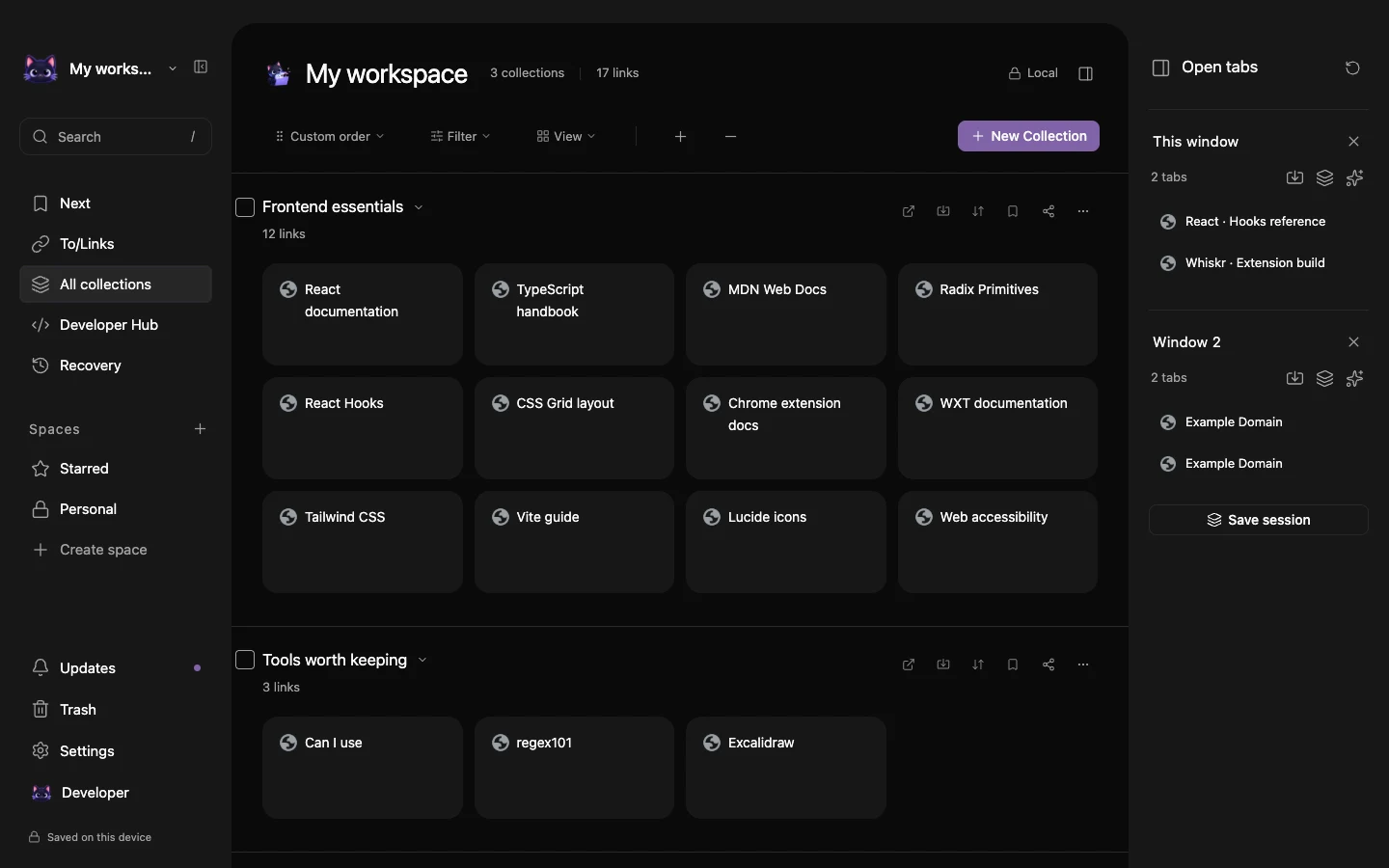
Actual Whiskrs new-tab workspace with developer bookmarks grouped into collectionsActual Whiskrs new-tab workspace with developer bookmarks grouped into collections
Try a quick save
React Hooks
Frontend

A real workspace. An example library. A little less tab chaos.

Collect the useful tabs.

Find the right reference.

Pick up where you left off.

Less hunting. More building.

Your next session
starts right here.

A collection for the feature you’re building. A saved session for tomorrow. A Next list for what deserves your attention.

A place for every rabbit hole.

Pull scattered references into collections that make sense to you.

From a tangle to a working set.

A little focus goes a long way.

Keep your next reads in a priority list.

Review the new API
Explore that idea
Try checking off the first read.

Leave work. Keep your place.

Save a session and reopen its tabs together.

One project. Three destinations.

Interactive feature illustrations · your real library stays in the extension.

Drag tabs into place
Find links by title, tag or domain
Restore a whole working session

Coming in 1.1.0

More room for
your everyday work.

The next update expands your local workspace. These previews show the upcoming release; the store currently offers 1.0.0.

01 / 04

A desk for the things you build.

Your profile, social links, tools, pinned references, quick files and notes. PDFs and images stay on your device, with a reader built into your workspace.

Also includes snippets, project desks and focus sessions.

Read the update notes
Your Space · actual extension with example content
Whiskrs Your Space dashboard with local quick files, developer tools, pinned links and quick captureWhiskrs Your Space dashboard with local quick files, developer tools, pinned links and quick capture

Scroll or pan to inspect the full-size product. Press Escape to close.

Actual extension preview · 1.1.0 update in preparation

Good projects. Good company.

A little spotlight
for what you’re building.

Useful tools deserve an introduction. Meet the projects supporting Whiskrs, or make room for your own.

Create your placement
Whiskrs mascot ready to help your next launchYour project belongs here.

Open to the next great introduction

Small card.
A thoughtful place to be.

Create an image, headline, short description and link. Preview the card in light and dark before sending it for review.

Try the placement preview
  1. 01Create your card
  2. 02Get it approved
  3. 03Pay & launch
Clearly labeled. No browsing based targeting.All sponsors & placement details

Built around the way you build

More than a pile
of saved links.

Keep a project’s repository, local server and documentation one click away. Your profiles, reusable searches and project context belong at the same desk.

The repository, at a glance.

Public PRs, assigned issues and default-branch CI beside each project. Refresh when you want an update.

Open the whole project.

Launch the destinations you saved together, with a name that makes sense to you.

A closer look at Repository pulse
A desk with everything in reachWhiskrs cat at work
PROJECT LAUNCHERActual extension
Project launcher · actual extension with example content
Actual Whiskrs project launcher with repository, development and documentation links and configured public Repository pulseActual Whiskrs project launcher with repository, development and documentation links and configured public Repository pulse

Scroll or pan to inspect the full-size product. Press Escape to close.

Public repository activity works without GitHub sign-in.
Repository localhost Documentation
Illustrated archive nook with folders and a lock
Your library stays on this device
Whiskrs cat keeping your folders in order
my-workspace.jsonYour links, ready to take with you.
Save locallyExport a backupBring it back

Your links. Your little corner.

Local by default.
Yours to take with you.

Your library works without a Whiskrs account. Export a JSON backup, move it to another browser, or return to a recent local recovery snapshot.

No analytics or automatic cloud sync. Optional repository activity and public sharing make network requests only when you ask for them.

Read the privacy policy

Notes from the workspace

A few good habits
to take with you.

All developer guides

A few things you might wonder

Before you
make yourself at home.

Whiskrs cat looking curious
What is Whiskrs?
Whiskrs is a local-first Chrome extension for developer bookmarks, tab sessions and project references. It replaces the new-tab page with a workspace for saved links.
Do I need an account?
No. Core bookmarks, collections, Next and project organization work without a Whiskrs account. Your library stays in the current browser profile.
Does Whiskrs sync between devices?
No automatic cloud sync is included in v1. Export a JSON backup to keep another copy or transfer a library to a different browser.
Can I connect a GitHub repository?
Repository pulse reads public pull requests, assigned issues and default-branch CI on request. Public activity works without sign-in; private repositories are not supported in v1.
How do I back up my library?
Export a JSON backup from Whiskrs and keep the file somewhere safe. You can import it into another browser profile; there is no automatic cloud backup in v1.
What is coming in Whiskrs 1.1.0?
The upcoming update adds the Your Space dashboard, local PDF and image files, snippets, reading tools, optional history archiving, an encrypted vault, manual encrypted folder backups and a hands-on workspace tutorial. Version 1.0.0 is currently published; these additions are being prepared for Chrome review.
How do I install Whiskrs?
Install Whiskrs from its official Chrome Web Store listing, then open a new tab to begin the welcome tour.
Whiskrs cat waving hello

Make a little room

Your next project
deserves a good home.

Install Whiskrs from the Chrome Web Store.
Your developer workspace will be one new tab away.

Add to Chrome What’s in v1